AI Integration Services: Wiring AI Into the Stack You Already Run
AI integration is the unglamorous layer that decides whether an agent works: connecting it to the CRM, tickets, docs, and tools your company already runs on, so it acts on real work instead of a sandbox. It's where a huge share of pilots quietly die. Here's what integration means, why it's the foundation, and when to build a data layer instead of bolting AI onto each tool.
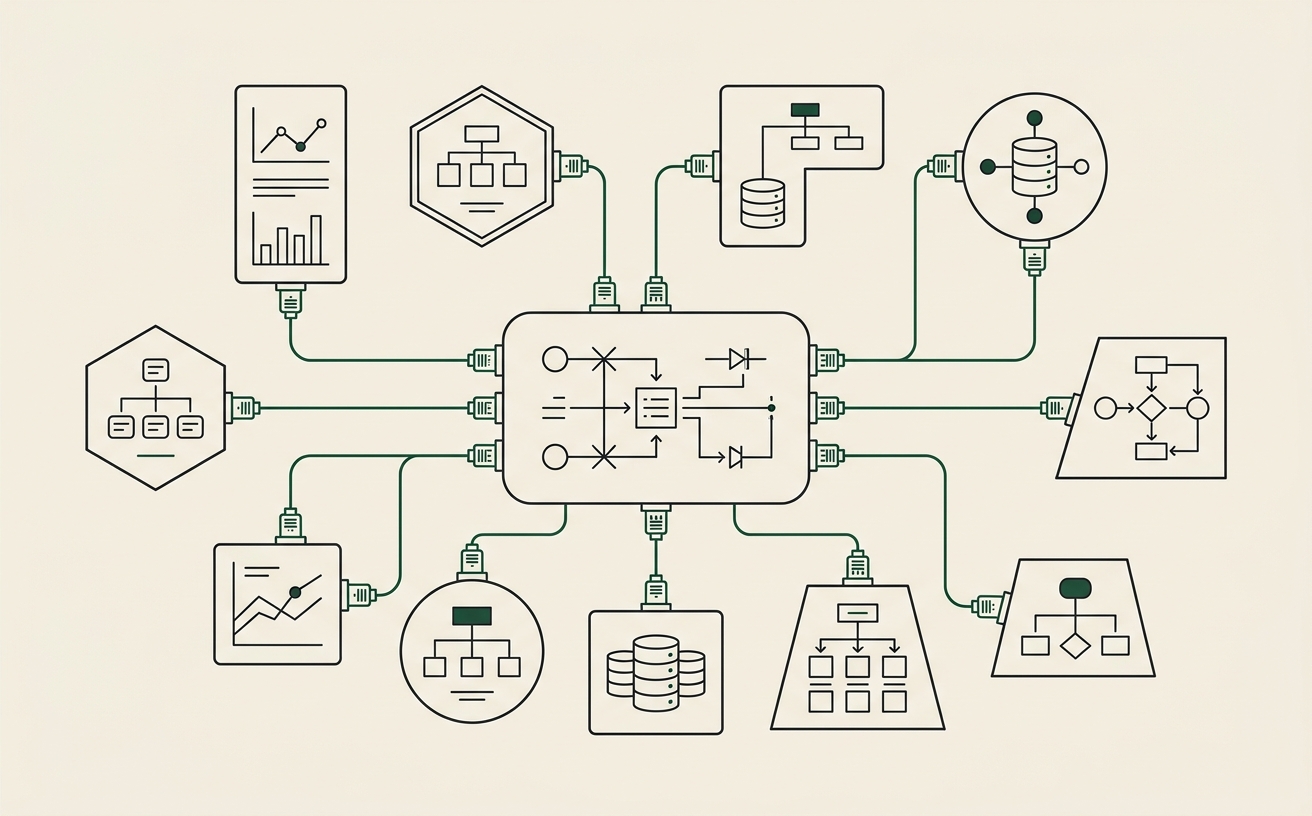
Integration is the least exciting word in AI and the one that most often decides the outcome. An agent is only as good as what it can see and touch. Wire it to your real systems and it acts like it's worked there for years; leave it in a sandbox and it's a clever demo that can't do anything that matters.
Across five companies, the difference between the agents that run production and the ones that stayed toys was almost always integration — how well the system was wired into real data and real tools. Here's how to think about that layer so your AI project doesn't stall at the exact point most do.
95%
of AI pilots never reach production
3
layers: data, workflows, agents
5
companies wired into real systems
0
hired employees
What Are AI Integration Services?
AI integration services connect AI to the systems and data a company already runs on — CRM, tickets, docs, email, internal tools — so agents can read and write to real work instead of a demo sandbox. It's what turns a chatbot into a system that acts inside your business.
There are two halves to integration. Read: the agent can see what's happening — pull the customer's history, the relevant docs, the open ticket, the last conversation. Write: the agent can act — update the record, send the draft, move the ticket, trigger the next step. A system that can only read is an assistant; a system that can read and write is an operator. The value shows up when it can do both, safely.
Done well, integration is invisible — the agent just works, because it has the same access a good employee would. Done poorly or skipped, every other part of the project inherits the gap: the smartest model in the world can't help with work it can't see.
AI
The next teardown, without checking back
About one a week from the five companies I run with co-founders, AI agents, and zero hired employees — what I changed, and the part that broke.
One click to unsubscribe.
Why Integration Is Where Pilots Die
When data is scattered across tools no agent can query across, the agent reasons about a company it can't see — and produces confident, plausible, wrong output. That's a leading cause of the ~95% of pilots that never ship.
The typical pilot skips straight to the exciting part: an agent that answers questions or drafts work. It demos beautifully on a curated example. Then it meets the real company — data spread across a CRM, a ticketing tool, three drives, and a dozen inboxes, none of it connected — and it starts guessing. The output looks confident and is often wrong, because the agent never had the real context to reason from.
That's not a model problem; it's an integration problem. The fix isn't a smarter model, it's making the company legible: giving the agent a way to see and act across your systems. Skip that and no amount of prompt-tuning saves the pilot. Do it and the same model suddenly looks brilliant, because it finally has something true to work with.
What Good Integration Looks Like
Good integration produces a legible company: a data layer agents can search and write back to, drawn from your real systems, with the judgment that usually lives in heads captured alongside it.
The strongest form of integration isn't a web of point-to-point connections — it's a data layer. You pull from the systems you already run into a structure agents can search and write back to, so the company becomes queryable. Every future workflow reads from the same legible foundation instead of re-solving access from scratch.
The part most teams miss: the valuable context isn't only in your databases. It's the decisions and reasoning — why you priced that exception, why the obvious move failed last time — that normally live in senior people's heads. Good integration captures that too, so agents reason like someone who's worked there for years. That data layer is the foundation of an AI operating system, and it's the reason integration is worth doing properly rather than quickly.
Build a Data Layer vs Bolt-On
A bolt-on wires AI to one tool for one task. A data layer makes the whole company legible and lets every workflow reuse it. Bolt-ons are fine for one-offs; anything that must compound needs the layer.
The tempting path is a bolt-on: connect the agent directly to one tool, ship the one thing, move on. For a isolated task, that's the right call — don't over-build. But bolt-ons don't compound. The next workflow needs its own integration, the one after that needs another, and you end up with a pile of brittle, disconnected connections that each break on their own schedule.
A data layer is more work up front and pays back every time. Once the company is legible in one place, the second workflow is dramatically cheaper than the first, because the foundation is already there. That's the difference between AI projects that get more expensive over time and a system that gets cheaper to extend — the compounding you're after.
How to Integrate AI Into Your Stack
Start with the one workflow you're building, integrate exactly what it needs into a data layer, and grow the layer as you add workflows. Don't boil the ocean; don't bolt on in a corner.
The practical path avoids both extremes. You don't integrate everything at once (a multi-year data project that ships nothing), and you don't bolt on in isolation (a brittle one-off). You pick the first workflow, integrate exactly the systems and context it needs into a real data layer, and ship it. The next workflow extends the same layer. The company becomes legible one useful slice at a time, and every slice is in production.
That's how integration fits into the larger build — one layer of implementing AI end to end. If you want the full picture of how integration, workflows, and agents come together into a running system, see AI Implementation Services.
Frequently Asked Questions
What are AI integration services?
AI integration services connect AI to the systems and data a company already runs on — CRM, tickets, docs, email, internal tools — so agents can read and write to real work instead of a demo sandbox. Integration is what turns a chatbot into a system that acts inside your business, and it's the layer most pilots skip.
Why do AI pilots fail at the integration stage?
Because the data is scattered across tools no agent can query across, so the agent reasons about a company it can't see and produces confident, wrong output. Roughly 95% of pilots never reach production, and this is a common reason: integration and data legibility are the unglamorous foundation, and skipping them breaks everything on top.
What's the difference between AI integration and AI implementation?
Integration is the connective tissue — wiring AI to your existing systems and data so it can act. Implementation is the whole build: integration plus the workflows and agents on top, operated in production. Integration is a necessary layer of implementation, not a substitute for it.
Should I bolt AI onto my existing tools or build a data layer?
For a one-off task, a bolt-on is fine. For anything that needs to be reliable and compound, build a data layer — a place agents can search and write back to, drawn from your existing systems. Bolt-ons stay brittle and isolated; a data layer makes the whole company legible and lets every future workflow reuse the same foundation.
Make your company legible to agents
An audit maps where your data and context are locked up, and how to build the data layer that makes AI reliable — the foundation your first workflow runs on, scoped to the systems you already have.
Apply for an audit